Photorealistic 3D Scenes using SfM with Gaussian Splatting
Crafted by John Tyler and Bob Bu · Spring 2025
3D Gaussian Splatting is a neural rendering method for real-time, photo-real images. It reconstructs a 3D scene from a dense point cloud of anisotropic 3D Gaussians. This serves as an alternative to building a mesh, unwrapping UVs, and texturing to achieve photorealistic rendering. Each Gaussian has a position, a covariance that controls size and shape, an opacity, and view-dependent radiance.
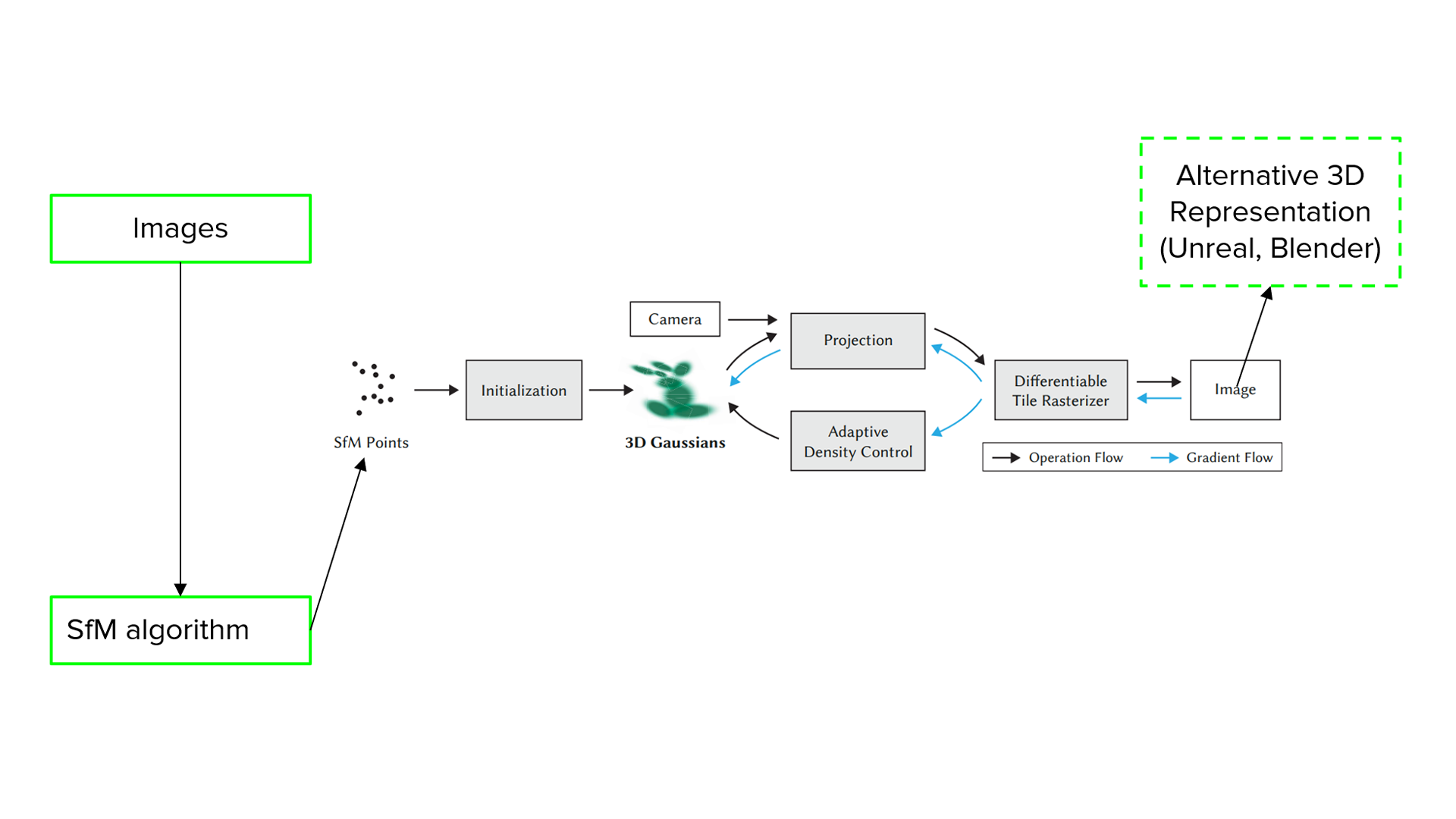
During rendering, each Gaussian projects to an ellipse on the image plane, and a differentiable rasterizer blends these ellipses into the final frame. The method can use less memory than dense voxel grids and many NeRF models with similar quality, although memory still grows with scene complexity.
This team project builds an incremental Structure from Motion pipeline in the style of COLMAP. The system extracts and matches features in overlapping photos. It initializes a seed pair, registers new views with PnP and RANSAC, and refines cameras and 3D points with bundle adjustment. The resulting poses and sparse point cloud are passed to a 3D Gaussian Splatting trainer. We use this pipeline to test how well the method reconstructs appearance from limited imagery and to measure speed and memory cost.
SfM algorithm overview
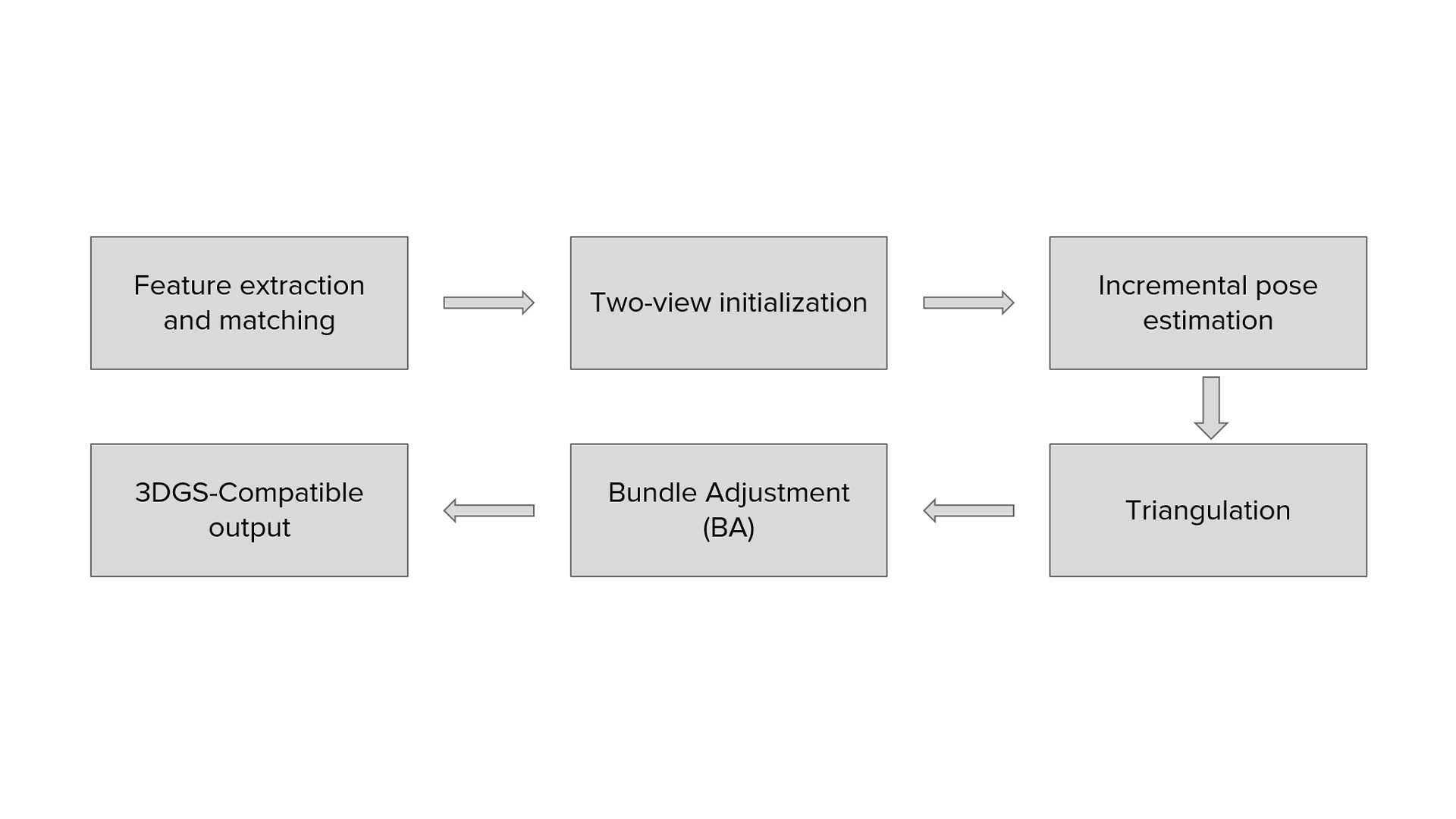
After feature extraction and initial matching, the system follows a standard incremental pipeline.
- Image loading and intrinsics. Load images, read EXIF, and build an intrinsic matrix for each image. Use fixed values if EXIF is missing.
- Keypoints and descriptors. Detect SIFT keypoints on CPU and compute descriptors. Store an RGB color per keypoint for visualization.
- Pairwise matching. Use a GPU brute-force matcher. Do KNN with k = 2, apply Lowe's ratio test, enforce mutual checks, and verify with an essential matrix using RANSAC.
- Matching acceleration. Choose full, sequential, windowed sequential, or sequential with anchor to reduce search cost.
- Two-view initialization. Pick the best pair, estimate the essential matrix, decompose to rotation and translation, triangulate initial 3D points, filter by reprojection error and depth, then run a small BA.
- Registering a new view. Form 2D-3D correspondences from existing tracks and solve the pose with
solvePnPRansac. Accept only if enough inliers are found. - Triangulating new points. Match to registered neighbors, triangulate with known poses, remove duplicates, validate, and add to the global track list.
- Local bundle adjustment. Optimize the latest views and their shared tracks. Use a robust loss and early stopping.
- Global bundle adjustment. Optimize all poses and points with a sparse solver. Stop on convergence.
- Outputs and tools. Write
cameras.txt,images.txt, andpoints3D.txt. Inspect results in the point-cloud viewer and keep adding views until the scene is complete.

In this output of a given test case, we can observe a sparse 3D point cloud of a brick building reconstructed by incremental SfM. Colors come from the source images, foliage appears as green clusters, and the ring of coordinate markers near the base traces the recovered camera path around the scene.
Prepare binary scene files for 3D Gaussian Splatting
We export our SfM result to compact binary files so the Gaussian trainer can load the scene directly. The layout follows our own schema and stays interoperable by mirroring the common cameras, images, and points3D split, similar to COLMAP.
# Text -> binary export (our exporter, COLMAP-like layout)import osdef convert_to_bin(txt_root: str, out_dir: str = "sparse/0"):os.makedirs(out_dir, exist_ok=True)cams = read_cameras_text(os.path.join(txt_root, "cameras.txt"))write_cameras_binary(cams, os.path.join(out_dir, "cameras.bin"))imgs = read_images_text(os.path.join(txt_root, "images.txt"))write_images_binary(imgs, os.path.join(out_dir, "images.bin"))pts3d = read_points3D_text(os.path.join(txt_root, "points3D.txt"))write_points3D_binary(pts3d, os.path.join(out_dir, "points3D.bin"))# Example# convert_to_bin(txt_root="../../", out_dir="../../sparse/0")
Fields and IDs follow our pipeline. The files are compact and easy to parse. The COLMAP-like layout keeps them compatible with common readers and with the official 3D Gaussian Splatting trainer.
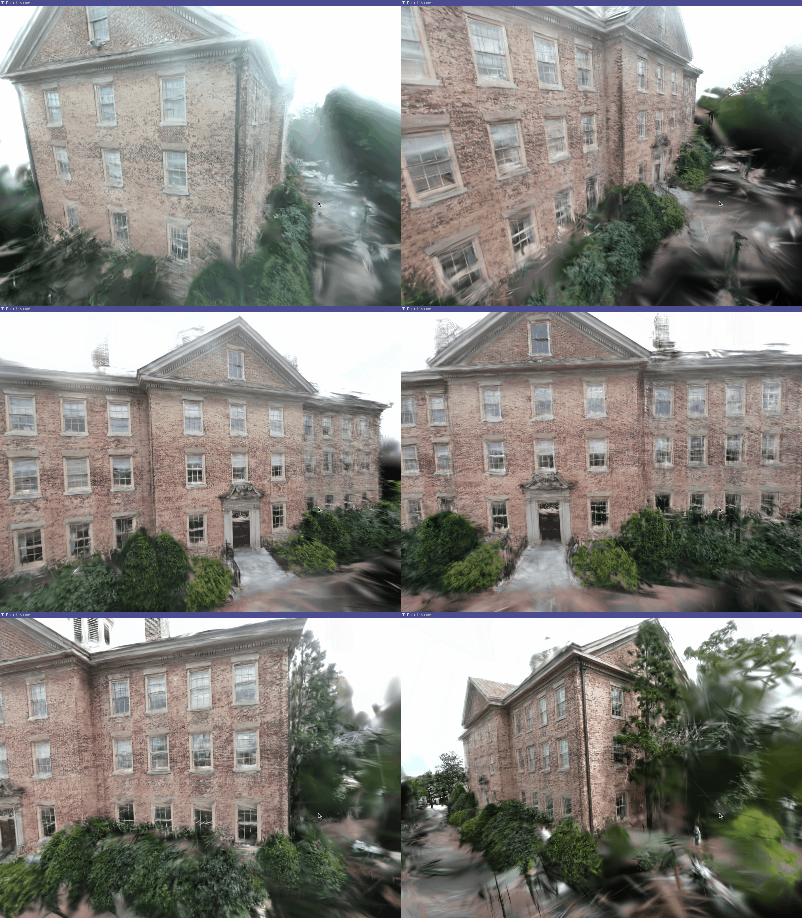
Real-time render from our 3D Gaussian Splatting scene trained on poses and a sparse point cloud produced by our own incremental SfM. The brick façade holds detail at close range, the shrubs appear as soft clusters, and slight haloing near the sky shows where image coverage is thin.
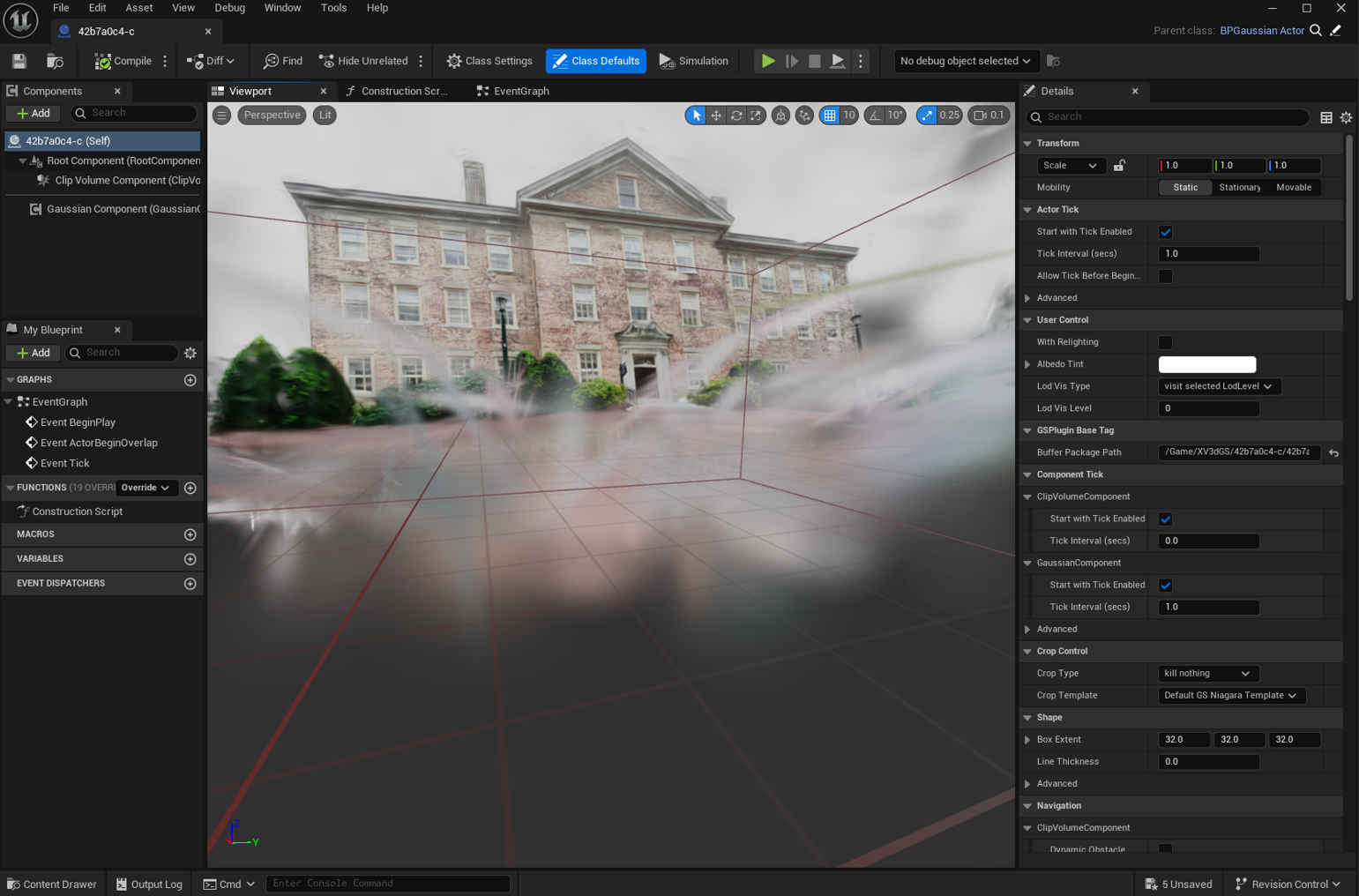
The same Gaussian scene can be easily ported into Unreal Engine. We import the scene as an actor and render it in the viewport. Blueprint controls adjust splat size and quality presets. Navigation is interactive and works with the editor camera.
The C++ SfM source code and the Python exporter (convert_script.py) are in the repository. The CUDA-accelerated SfM solver for 64-bit Windows, with selectable matching modes, is on the Releases page, and the package includes the required CUDA DLLs.
University of Alberta · Edmonton, AB, Canada